



SEO site migration can be a fresh start or a fast track to a 60% traffic drop. A thorough SEO site migration audit helps protect rankings, redirects, and organic visibility.
If you are planning a move, SEO migration services can make the transition safer and smoother.
SEO Site Migration Service: Do You Need One?
Yes, you should seriously consider website migration services for your website, and it’s really helpful for websites with lots of pages.
Specifically, if your site has-
- 500 location pages
- 50,000 articles
- 10,000+ indexed URLs
- Rebranding + changing domain + restructuring the website
- 5,000+ products
For example, if you have an e-commerce site, an enterprise site, or a news publisher.
If you manage this type of site and do not carefully handle the migration, you will lose rankings and valuable traffic.
In such cases, you should strongly consider choosing professional website migration services that are experts in SEO and can smoothly handle the process.
Why Site Migrations Cause Massive Traffic Drops?
Any significant modification to a website that impacts how search engines crawl, index, or rank it is referred to as an SEO site migration. Redesigns, HTTPS rollouts, domain relocations, CMS changes, URL rearrangement, and even significant content consolidations all count.
Your new website is not immediately understood by search engines. They must reconstruct the signals they had previously ascribed to your previous URLs, recrawl it, and reevaluate it.
Ranking signal leaks out at every stage of the process, whether it’s a broken canonical, a page that was silently discarded, or a missing redirect.
Usually, a 30–60% decrease in traffic is not the result of a single major error. There are five or six tiny ones piled on top of one another. A delayed page load in one place, an incorrect canonical in another, or a missing redirect in a third. They couldn’t ruin a place by themselves. They compound together.
A brief dip is not the same as a migration failure. After any significant update, rankings frequently fluctuate for one to two weeks; this is Google recalculating, not a warning sign.
A failure appears differently: it doesn’t get better, it gets worse, and it only affects the sites that are most valuable to you.
The purpose of a proper migration audit is to identify avoidable issues before they arise and to provide you with a clear diagnostic path in the event that an issue persists.
What is an SEO Site Migration Audit?
An organized review of everything that might have an impact on search visibility prior to, during, and following a site change is called a migration audit.
It is more focused than a technical SEO audit and more limited than a general SEO audit; it is based solely on the question, “Will this change break something Google already trusts?”
It evaluates:
- URL structure and naming
- Redirect logic (301s, chains, loops)
- Internal linking
- Canonical tags
- XML sitemaps
- Robots.txt rules
- Metadata (titles, descriptions, headings)
- Structured data
- Indexation status
- Core Web Vitals
Run it on staging before launch, prior to the migration, to create a baseline, and continually for the first several weeks following go-live.
The pre-migration audit indicates what you’re protecting, the staging audit indicates whether you protected it, and the post-launch audit indicates whether the protection actually worked once actual traffic hit the new site.
Most teams fall short when they miss any one of those three checkpoints.
Relatable Read: SEO Audit Report Example And Templates
Why Website Migrations Lose Organic Traffic?
URL Structure Changes
Sometimes it’s necessary to change URLs in order to rebrand, migrate platforms, or reorganize folders for clarity. However, unless it is correctly redirected, every modified URL is a signal reset.
Restructuring directories and parameters without transferring the previous paths forward or eliminating high-performing URLs are the riskiest actions.
Broken or Incorrect 301 Redirects
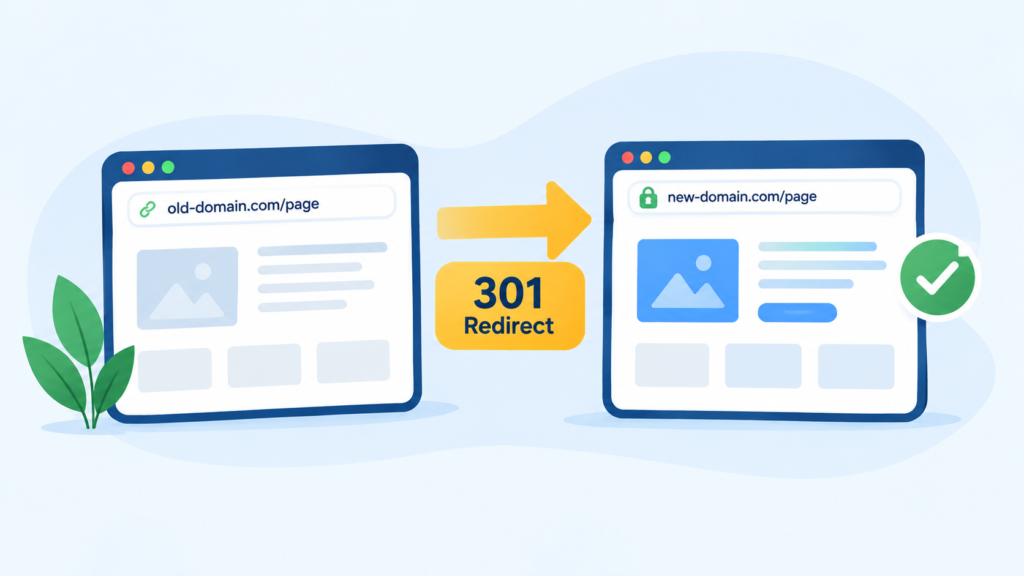
This is the single biggest cause of migration traffic loss. Common failures:
- No one-to-one mapping – old URLs don’t point to their true equivalent
- Redirect chains (A → B → C) that dilute signal and slow load time
- Redirect loops that break the page entirely
- Blanket redirects sending every old URL to the homepage
- Using 302s (temporary) where 301s (permanent) are needed
Google is informed with a 302 that “this is temporary, don’t transfer ranking signal yet.” Use a 301 if you mean permanent. Although it may seem like a minor technical detail, on a large scale, it might be the difference between a website that maintains its ranks and one that must start over.
Redirect chains should also be given more consideration. Each step in a chain increases load time, and search engines may decide to stop following it after a given amount of time. Usually, two hops are sufficient. Four or five is a problem that will take months to solve.
Lost Internal Links
Orphan pages that were formerly two clicks away from the homepage are often redesigned in the navigation. Even if the page itself has never changed, orphan pages lose internal link equity, which manifests as ranking loss.
It’s simple to overlook this because nothing appears “broken.” The page loads without any issues. Both visitors surfing through the website and crawlers following links to locate it simply stop being able to find it.
Indexation Problems
The classic error: staging directives (robots.txt blocks, noindex tags) inadvertently make it into production. What Google is instructed not to index cannot be ranked. Similar issues arise from incorrect canonical tags, which direct Google to the incorrect version of a page and divide the ranking signal over two URLs rather than concentrating it on one.
Content Changes
The signals Google used to understand and rank that page are weakened when content that was already ranking is removed, the topic focus is softened, or headings and metadata are removed during a makeover. Even if the word count remains constant, a page that was ranked for a certain, well-defined topic may lose its ranking merely by becoming more ambiguous.
Technical SEO Changes
New platforms can occasionally introduce JavaScript rendering problems, slower page speeds, broken mobile layouts, improper hreflang tags, and missing structured data. Regardless of the URL or redirect work, each one erodes ranks.
It’s worth flagging JavaScript rendering. Your content may appear empty from the crawler’s perspective even though it appears totally normal in a browser if your new website primarily depends on client-side rendering and Googlebot is unable to carry it out correctly. This is one of the most frequent explanations for why a migration that is officially “successful” nonetheless has poor traffic.
Relatable Read: How Much Does SEO Cost in 2026?
Pre-Migration SEO Audit Checklist

Crawl the Existing Website
Before anything moves, crawl the entire live site. Capture:
- Every indexable URL
- Status codes
- Title tags and meta descriptions
- Canonical URLs
- Noindex pages
- Internal link structure
- Orphan pages
For everything that happens after, this crawl serves as your point of reference. Without it, it is impossible to confirm that the new website truly mimics the functionality of the previous one.
Establish an SEO Baseline
Record current performance so you can measure impact later, not guess at it:
- Organic sessions
- Organic clicks and impressions
- Keyword rankings
- Number of indexed pages
- Backlink profile
- Top landing pages
- Organic conversions
- Revenue attributed to organic traffic
Identify High-Value URLs
Some pages matter more than others. Flag:
- Highest-traffic pages
- Highest-converting pages
- Pages with the most backlinks
- Pages ranking in positions 1-10
- Pages with significant impression volume
- Pages driving branded and non-branded traffic
These pages get priority treatment throughout the migration – first in line for redirect mapping, first checked post-launch.
Build a URL-to-URL Redirect Map
A redirect map is not an estimate, but rather a spreadsheet. It establishes a one-to-one connection between each old URL and its most pertinent new equivalent.
Your highest-value URLs are mapped and tested first, so prioritize them according to traffic, backlinks, and ranking position. A blanket homepage redirect should never be used by default since it notifies Google that the page has nothing worthwhile to point to, thus losing the ranking signal.
Use a 410 (gone) or reroute to the nearest appropriate category page for truly deleted pages that have no equivalent; never force an irrelevant redirect to prevent a 404.
Relatable Read: What is SEO Marketing and How Does It Work? (Complete Guide)
Pre-Launch Technical SEO Testing
Crawl the Staging Website
Run the same crawl you ran on the old site, this time against staging:
- Status codes
- Canonicals
- Robots directives
- Internal links
- XML sitemap
- Pagination
- Hreflang
- Structured data
- Image URLs
Compare Old vs. New Site
Compare the content, title tags, H1s, canonicals, meta robots, internal links, and schema markup at the URL level between the two websites. Google will also be aware of any unexplained gaps.
Migration-Day SEO Checklist
On launch day, work through this in order:
- Push redirects live
- Remove staging noindex tags
- Verify robots.txt allows crawling
- Publish the new XML sitemap
- Confirm canonical tags point correctly
- Test priority URLs manually
- Check HTTP → HTTPS redirects
- Check www/non-www redirects
- Verify analytics is firing
- Verify Google Search Console is connected
- Confirm tracking and conversion events fire correctly
By omitting the verification process, “we did the redirects” becomes “half the redirects didn’t actually deploy.”
Additionally, it is beneficial to designate one individual as the launch-day SEO checkpoint, whose sole responsibility on that day is to go through this list rather than addressing CSS issues or responding to inquiries from stakeholders. When everyone believes that someone else is keeping an eye on the SEO side, migrations fail silently.
Relatable Read: Roofing SEO: The Complete Guide to Ranking #1 and Getting More Leads in 2026
Post-Migration SEO Audit: First 24-72 Hours
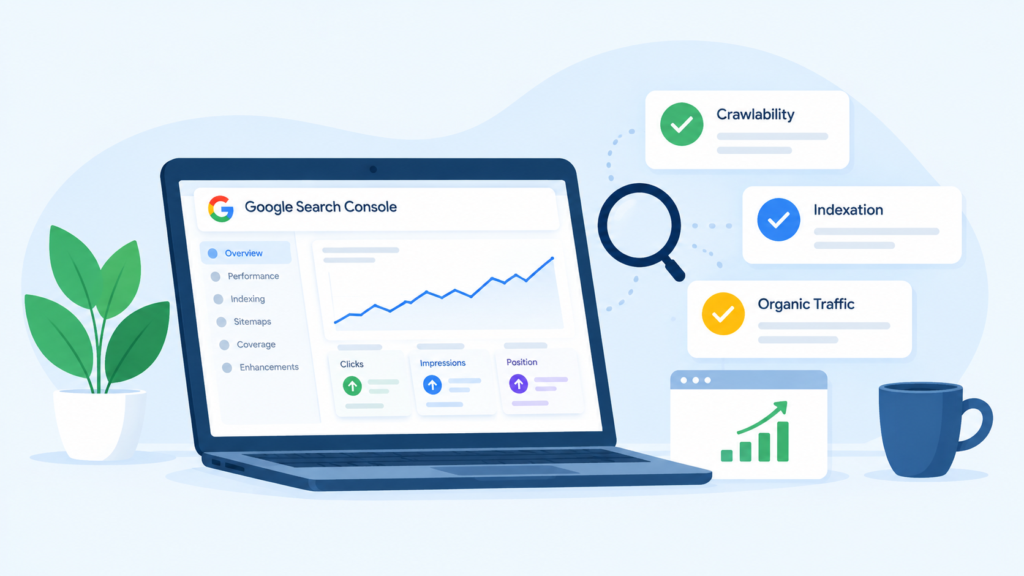
Monitor Crawlability
Look for Googlebot activity in the server logs. Keep an eye out for 404 spikes, 5xx problems, and unsuccessful redirects; these appear in logs before rankings.
Monitor Indexation
Keep track of the number of indexed URLs, sites that were excluded, pages that were crawled but not indexed, and any URLs that were unexpectedly indexed (staging URLs are a major offender here).
Monitor Organic Performance
Clicks, impressions, rankings, CTR, sessions, and conversions may all be compared to your baseline.
Short-term fluctuations shouldn’t cause you to panic. In particular, look for trends among your highest-value URLs; that’s where a serious issue first appears.
How to Diagnose a 60% Traffic Drop?
Work through a fixed troubleshooting sequence: identify affected URLs → check rankings → check indexation → check redirects → check technical issues → compare content → inspect internal links → analyze Search Console.
Ask, in order:
- Did rankings disappear or just decline?
- Are the affected URLs actually indexed?
- Do the old URLs redirect correctly?
- Are the new URLs indexed at all?
- Did search intent shift?
- Did content get removed or thinned?
- Did internal links change?
- Did canonicalization change?
- Did the site get slower?
- Did tracking break, making this look worse than it is?
That last question matters more than people expect.
Google Search Console Checks After Migration
Go through: Performance report, Pages/Indexing report, URL Inspection tool, Sitemaps, Core Web Vitals, Manual actions, Security issues, and HTTPS status.
Watch specifically for: sudden impression declines, click declines, coverage or indexing anomalies, a spike in 404s, a rise in “not indexed” pages, and canonical discrepancies.
The URL Inspection tool is particularly useful right after launch. It lets you check, URL by URL, whether Google has actually recrawled and reindexed the new version, rather than guessing from aggregate numbers.
Analytics Audit After Migration
Here’s the part teams skip: a traffic drop isn’t always an SEO drop. Sometimes it’s a broken tracking setup wearing an SEO costume.
Check GA4 implementation, tracking IDs, cross-domain tracking, consent configuration, referral exclusions, conversion tracking, landing-page reporting, and organic channel attribution.
Rule: before you conclude Google dropped your rankings, confirm your analytics is actually collecting data correctly. A broken GA4 property can manufacture a “traffic drop” that never happened in Search Console. Cross-checking the two sources against each other is the fastest way to rule this out.
Common SEO Migration Mistakes to Avoid

- Launching without a redirect map
- Redirecting every URL to the homepage
- Changing URLs, design, content, and architecture all at once
- Blocking the site with robots.txt
- Leaving noindex live on production
- Forgetting canonical tags
- Removing high-performing content
- Ignoring backlinks during planning
- Not crawling the new site before launch
- Not monitoring Search Console after launch
- Assuming every traffic drop is a Google algorithm update
Simultaneously changing everything is worthy of its own callout. You can’t determine the cause when five things change simultaneously, and traffic decreases. When possible, stagger modifications; instead of deploying both on the same day, migrate the platform first and redesign later.
SEO Site Migration Audit Checklist
Before migration:
- Crawl old website
- Export all indexable URLs
- Benchmark organic traffic
- Identify top-performing pages
- Analyze backlinks
- Create redirect map
- Crawl staging site
- Test technical SEO
During migration:
- Implement 301 redirects
- Verify canonicals
- Remove staging blocks
- Update XML sitemap
- Verify analytics
- Test critical URLs
After migration:
- Crawl live website
- Check 404s
- Check redirect chains
- Check indexation
- Submit sitemap
- Monitor rankings
- Monitor organic traffic
- Compare conversions
- Fix priority issues immediately
SEO Migration Tools
- Crawling: Screaming Frog, Sitebulb
- Search performance: Google Search Console
- Analytics: Google Analytics 4
- Backlinks: Ahrefs, Semrush
- Performance: PageSpeed Insights, Lighthouse
- Server/log analysis: Log-file analysis tools
- Redirect testing: HTTP status/redirect crawlers
Relatable Read: SEO for Startups: How to Build Organic Growth From Zero
How Long Does SEO Recovery Take After a Migration?
As Google recrawls and recalculates, be prepared for fluctuations in the initial days. This is the process itself, not a flaw in it.
The size of the site, the crawl budget, the cleanliness of the redirect map, and the amount of change made at once all affect recovery time. Clean migrations at small locations usually stabilize in two to four weeks. Migrations that are messier or larger may take two to three months. Because Google takes more time to recrawl and reprocess everything, websites with a lot of pages take longer to load. The crawl budget is limited, and a website with tens of thousands of URLs competes for it differently than one with a few hundred.
When traffic loss doesn’t level out and begin to recover within that time frame, or if it continues to decline after week three, it becomes a warning sign. At that point, you go from “normal fluctuation” to “active investigation.”
Communicating Migration Risk to Stakeholders
Managing expectations before launch is something that technical checklists do not address. Stakeholders who are not involved with SEO frequently anticipate a smooth transition with no discernible effects. Everyone is prepared for a panic when rankings start to decline on day three because of that expectation.
Establish expectations in advance. Give a realistic recovery timetable based on the size of the site, explain that a short-term fluctuation is common, and decide ahead of time what would truly qualify as a problem worth escalating. This transforms “the traffic dropped, what happened?!” into “we’re on day four of the expected fluctuation window, here’s what we’re tracking.” A much simpler discussion that is only possible if the frame is set prior to launch rather than during the dip.
SEO Migration Audit Template
Build a working template with these sections:
- URL inventory
- Redirect mapping template
- Technical SEO checklist
- Pre-launch checklist
- Launch-day checklist
- Post-launch monitoring sheet
- Traffic/ranking comparison template
- Issue-priority framework
Keep it in one shared document. Migrations move fast, and a checklist scattered across five tools is a checklist nobody follows.
Relatable Read: How to Choose an SEO Company: 11 Questions to Ask Before Signing
Final Takeaway: How to Prevent a 60% Traffic Drop
Every migration failure in this guide traces back to the same root cause: treating SEO as a follow-up step instead of a planning input.
The fix is simple to state, harder to execute:
- Crawl and document the old site before touching anything.
- Protect valuable URLs and backlinks with a real redirect map.
- Test every redirect at the URL level, not just spot-check a few.
- Replicate every SEO signal – titles, canonicals, schema on the new site.
- Test staging thoroughly before launch, not after.
- Monitor indexation and rankings immediately, not “sometime next week.”
- Rule out technical and tracking issues before blaming an algorithm update.
A 60% traffic drop isn’t inevitable. It’s usually just several smaller mistakes that nobody caught in time. Catch them, and the migration becomes a non-event. That is exactly what a good migration should be.
Frequently Asked Questions (FAQs)
An SEO site migration audit checks technical SEO elements before, during, and after a website migration. It helps identify issues with redirects, URLs, indexing, links, and metadata that could cause traffic loss.
Traffic can fall when search engines encounter broken redirects, changed URLs, missing content, or indexing problems. Poorly planned migrations can disrupt existing rankings and organic visibility.
Create a complete URL inventory, crawl the existing site, and record important rankings, backlinks, metadata, and indexed pages. Prepare and test a one-to-one 301 redirect map before launch.
301 redirects tell search engines that an old URL has permanently moved to a new one. Properly mapped redirects help preserve link equity and guide users and search engines to the correct pages.
Monitor Google Search Console, analytics, rankings, crawl errors, indexing, and redirects closely after launch. Compare performance with pre-migration data and fix any technical SEO issues immediately.