



If your business suddenly stops showing up on Google Maps, it can feel like your storefront vanished overnight.
One day, customers find you with a quick search, and the next, your visibility drops without warning. The good news? In most cases, there’s a fix.
From suspended profiles and inaccurate business details to weak local SEO signals, several common issues can push your listing out of Google’s local results.
Find out why businesses are not showing up on Google Maps, what it means for your traffic and sales, and the practical steps you can take to get your business visible again.
Relatable Read: Brand Keywords Not Appearing On Google? Here is the Fix!
Why Is Your Business Not Showing Up on Google Maps?
There’s rarely one single reason. Usually, it’s a combination of small issues that stack up and push your listing out of sight.
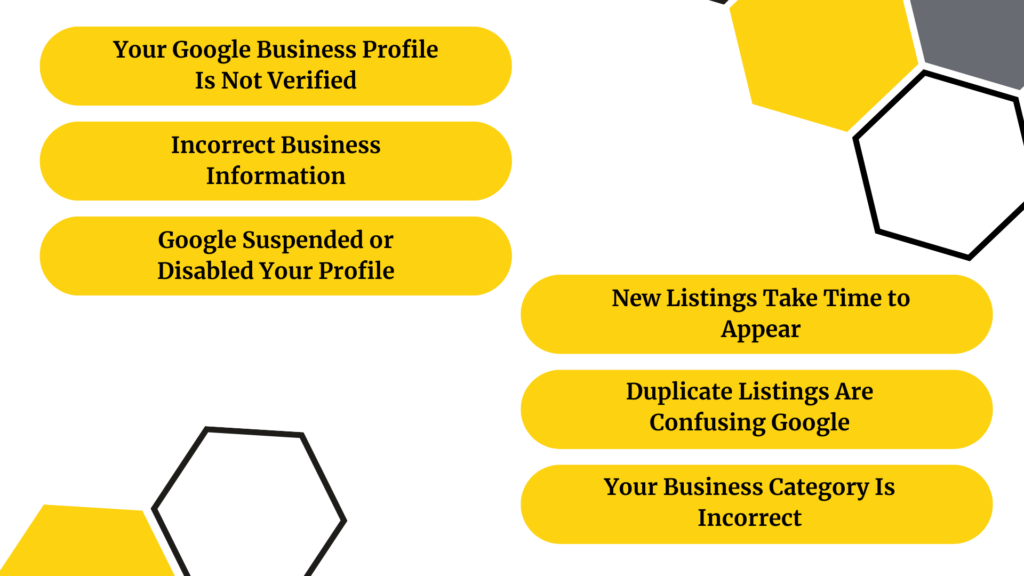
Your Google Business Profile Is Not Verified
The core is verification. Without it, Google won’t have enough trust in your listing to display it prominently or at all. Many entrepreneurs set up a profile, become preoccupied, and never finish the verification process. In the meantime, their listing does nothing except sit there.
Local rankings are also directly impacted by verification. Google uses it as a fundamental trust signal; why would it give you a higher ranking than someone who has verified that you are the true owner or manager of the company?
Incorrect Business Information
People are surprised by this one. Google becomes confused if your address appears somewhat differently on your website, on your profile, and in different directories. Even if it’s just “St.” vs. “Street.” Your visibility in local results may be suppressed by this discrepancy, which is referred to as an NAP (Name, Address, Phone Number) mismatch.
Another issue is outdated hours. Google and potential clients will not believe you if you altered your hours six months ago and haven’t updated your profile.
Google Suspended or Disabled Your Profile
Most individuals are unaware of how often suspensions happen. Typical causes include:
- Using a business name that contains a lot of keywords (for example, “Joe’s Plumber Best Plumber NYC” rather than just “Joe’s Plumbing”)
- Using a PO box or virtual office as a business address
- Having several listings for the same place
- Violating Google’s content guidelines
Suspension is frequently the reason if your profile abruptly vanishes.
New Listings Take Time to Appear
Give it some time if your listing was just created. It usually takes a few days to a few weeks for new profiles to fully index and show up in local results. Before displaying you, Google must confirm the information, cross-reference it with data from other sources, and get sufficient confidence.
Duplicate Listings Are Confusing Google
Your signals are separated, and the algorithm is confused by two profiles for the same company. This frequently occurs when someone makes a list, forgets about it, and then makes another one. The chaos is exacerbated when listings are automatically generated by third-party directories.
Your Business Category is Incorrect
Google is informed about your company’s activities through categories. If you are a dentist and your listing is under “Health & Wellness,” you will be overlooked by those who are expressly looking for dental services. The principal category is the most important; carefully consider what your core offering is.
How to Check If Your Business Is Actually Listed
Before fixing anything, check the current state of your listing.
Search Your Business Name on Google
See what appears when you enter the exact name of your company into Google. You have a profile if your Knowledge Panel is visible on the right. You could not have a listing at all, or it might be suppressed if nothing appears.
Use Google Maps Directly
Look for your company’s name on Google Maps. Additionally, consider including your company type and address in a search (e.g., “bakery near 123 Main Street”). You can identify the source of the issue if you attend one but not the other.
[Source: Google Blog]
Check the Google Business Profile Dashboard
Go to business.google.com to access your Google Business Profile. Keep an eye out for any.
- Suspension notices
- Verification requests
- Warnings
Your current visibility status will be displayed on the dashboard, along with any issues that require addressing.
Relatable Read: 5 Reasons Why Your Business Needs a Website in 2026
Step-by-Step Fixes to Get Your Business Back on Google Maps
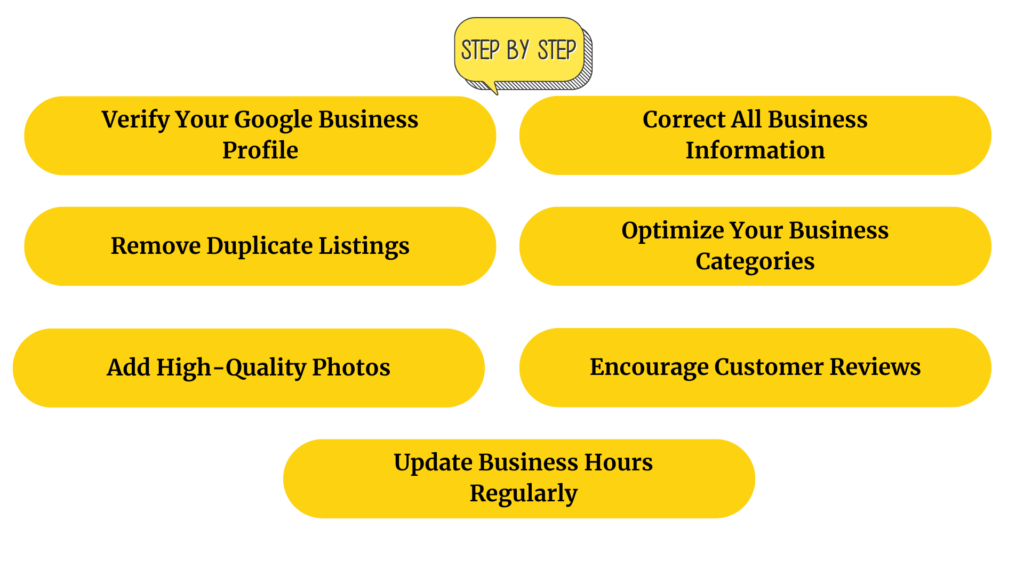
Verify Your Google Business Profile
This is your first step if you haven’t verified yet or if your verification has expired. Google provides many ways to verify:
- Postcard by mail – most common, takes 5–14 days
- Phone or email – available for some businesses
- Video verification – increasingly common, requires a live walkthrough
- Instant verification – available if your website is already verified in Google Search Console
If verification fails, double-check that your address matches exactly what Google expects. And make sure you’re using a legitimate street address (not a PO box).
Correct All Business Information
Verify that every field in your profile is correct and consistent by going over each one:
- Your company name should be consistent with your actual signs; avoid overloading it with keywords.
- Your address must be where you are physically located.
- A local phone number is preferable over a call center number.
- The URL of the website should lead to a functional page.
- Where you truly serve consumers should be reflected in your service areas.
Next, look at your website, Facebook page, Yelp page, and any directories that list your company. They should all display the same NAP data.
Remove Duplicate Listings
Look up your company’s name and address on Google Maps. If you discover more than one listing, mark it as a duplicate and report the duplicates using the “Suggest an edit” option on the duplicate listing. You can use Google Business Profile assistance to request a merge in more complicated situations.
Optimize Your Business Categories
The most crucial category is your primary one. Choose the one that most accurately sums up your primary service rather than attempting to cover everything. Secondary categories are acceptable as long as they are pertinent. Steer clear of categories that barely relate to your company; doing so dilutes relevancy.
Add High-Quality Photos
Compared to listings without photographs, those with photos receive a lot more clicks and requests for directions. Upload
- External images (to help clients identify where you are)
- Interior images
- Staff or team photos
- Images of goods or services
Start with at least 10 pictures. Continue adding over time; new content is a sign of a credible, functioning business.
Encourage Customer Reviews
One of the most powerful ranking elements in local SEO is reviews. Your listing will appear higher in Maps results if it has more reviews, higher ratings, and consistent review activity. The most moral approach to obtain them? Just ask satisfied clients directly, whether in person, via email, or by a follow-up text message that includes a direct link to your review page.
Never purchase reviews or offer discounts to encourage them. The penalties aren’t worth it, and Google is becoming more adept at identifying this.
Relatable Read: B2B Customer Acquisition Strategy That Scales in 2026
Update Business Hours Regularly
Set your holiday hours before the holidays, rather than after. For short-term adjustments, use your profile’s “special hours” function. Inaccurate hours cause poor customer experiences, which result in unfavorable evaluations and a decline in your ranking.
Advanced Local SEO Strategies to Improve Google Maps Rankings
Once your profile is clean and verified, these strategies will push you higher in the Map Pack.
Optimize Your Website for Local SEO
Your Google Business Profile and your website collaborate. Ensure that your website has:
- A specific location page featuring your complete address, business hours, and an integrated map
- Your material organically mentions your city and service area.
- A mobile-friendly layout, since phones are used for the majority of local searches
Build Local Citations
Citations are references to your company on other websites, such as local news sites, review sites, and directories. Google is more likely to believe your business information if it is consistent and widely used. Start with the major ones: industry-specific directories, Yelp, Yellow Pages, Bing Places, and Apple Maps.
Get Local Backlinks
Google is informed that you are an authentic, well-established member of the community by links from other local websites. Excellent resources include:
- Local media sources reporting on your company or activities
- Member pages of the Chamber of Commerce
- Collaborations with complementary local companies
- sponsorships of regional organizations or events
Use Location-Based Keywords
Add geo-targeted terms into the text of your website. Example: “emergency plumber in Austin” or the “best coffee shop near downtown Chicago.” Don’t push them; instead, write organically while ensuring you use the search terms residents actually use.
In recent years, the number of “near me” searches has skyrocketed. Your Google Business Profile’s proximity, review signals, and category relevance drive those results; your website doesn’t have to explicitly state “near me” everywhere.
Embed Google Maps on Your Website
The connection between your website and your real location is strengthened when you include a Google Maps embed on your contact page. Additionally, it increases users’ confidence in your legitimacy and could influence local ranking signals.
Relatable Read: eCommerce SEO Strategy: How to Drive More Organic Sales in 2026
Common Google Maps Listing Errors and How to Fix Them
“Pending” Business Status
This typically indicates that the review of your listing is still ongoing. It may occur if you re-verify, make major changes, or build a new profile. Give it 3-7 business days. Get in touch with Google support if it continues to be pending.
“Suspended” Listing
Maps won’t show a suspended listing at all. To be reinstated:
- Go over Google’s Business Profile rules in detail.
- Resolve the issue that led to the suspension (false address, keyword stuffing, etc.).
- Use the official form at business.google.com/appeal to submit a request for reinstatement.
In your appeal, be truthful. Describe the issue and the fixes you made.
Wrong Pin Location
Go to your profile, select “Edit profile,” then “Business location,” and drag the pin to the proper location if it is dropping in the wrong place. Customers use that pin for navigation, which is quite important for walk-in shops.
Missing Reviews or Photos
Photos and reviews don’t always show up right away. Submissions are moderated by Google, which can take several days. Check for a pattern if reviews appear to be disappearing on a regular basis. Reviews from people who share IP addresses with you or from fresh Google accounts are frequently blocked out.
How Long Does It Take to Appear on Google Maps?
Typical Verification Timeline
- Postcard verification: The postcard will arrive in 5–14 days, and after you enter the code, it will activate instantly.
- Verification via phone or email: same day
- Video verification often occurs a few days after submission.
Your listing may take a few more days to completely appear in search results after verification.
Factors Affecting Visibility
Even after appearing, ranking well takes time. Your position in Maps depends on:
Proximity: The distance between you and the searcher
Relevance: This is the degree to which your profile corresponds with what they looked for.
Prominence: Reviews, citations, backlinks, and your general internet presence all contribute to your prominence.
In a competitive market, it may take a few months for a new company to rank well. That’s typical. Over time, consistent effort accumulates.
When to Contact Google Support?
Escalate if you haven’t appeared for more than two weeks following verification or if your reinstatement request hasn’t been responded to after two weeks. Use your dashboard’s support chat feature or the Google Business Profile Help Center to get in touch.
Prevent Your Business From Disappearing Again
Keep Information Updated
Every few months, review your profile. Modifications to the address, phone number, hours, or services? Don’t wait; update it right away.
Follow Google Business Profile Guidelines
Go over Google’s policies at least once. Many suspensions result from those who were unaware that they violated a rule. Everything is covered under the standards, including service area setup, photo material, and business names.
Monitor Listing Performance Regularly
Every month, review your Business Profile Insights. Keep an eye out for declines in views, clicks, or direction requests; these could be early indicators of a problem.
Avoid Spammy SEO Tactics
Although they may sound alluring, keyword-stuffed company names, phony review campaigns, and listing manipulation all pose serious risks. Reported listings are frequently swiftly suspended by Google’s active local spam staff.
Tools to Help Monitor Your Google Maps Presence
Google Business Profile Insights
Integrated directly into your dashboard. demonstrates how users locate your listing, what they do, and how you change over time. Free and necessary.
Google Search Console
Keeps track of your website’s organic search performance, which is helpful for monitoring local keyword visibility and branded searches in addition to your Maps presence.
Local Rank Tracking Tools
- BrightLocal keeps tabs on citations and local pack rankings.
- Whitespark is a powerful local rank tracker and citation finder.
- Semrush Local combines more comprehensive SEO analytics with local SEO techniques.
Relatable Read: 7 Signs of a Good SEO Agency
Final Thoughts
A solid local SEO plan and appropriate Google Business Profile optimization will frequently resolve the problem if your company isn’t appearing on Google Maps. You may increase and restore your visibility by maintaining correct business information, gathering reviews, and enhancing local trust signals.
Through professional local SEO, Google Business Profile optimization, and focused exposure tactics, MonsterClaw LLC assists companies in raising their Google Maps ranks.
Are You Prepared to Return Your Company to Google Maps?

Frequently Asked Questions (FAQs)
Visibility is not guaranteed by verification alone. To compete in your field, you also need precise data, pertinent categories, regular citations, and sufficient trust signals (reviews, images, and backlinks).
Before submitting a reinstatement request via your dashboard, address the policy violation. Be open and honest about the changes. If rejected, you can file a new appeal with more supporting evidence.
Indeed. Duplicate listings confuse Google and split your signals. They may also result in both profiles being suspended. As soon as you discover duplicates, remove them.
Verification of postcards takes 5-14 days. There are other same-day options. After verification is finished, it can take an extra week or two for full indexing and ranking visibility.
Probably because they have a longer history on the site, more reviews, stronger backlinks, and more regular citations. You can determine where to concentrate by looking at their profile to discover where they are strongest.